
You’ve probably hit this wall before: you’re managing a few YouTube accounts, scraping video data, or just trying to check how your content looks in another country — and suddenly you’re locked out, flagged, or served endless CAPTCHAs. That’s the moment most people start searching for a proxy for YouTube.
The problem is, not all proxies work the same way on YouTube. Google’s systems are aggressive about spotting anything that looks automated, and a cheap or poorly matched proxy will get burned within hours. This guide breaks down residential versus datacenter proxies specifically for YouTube use, so you can pick the best proxy for YouTube without wasting money on trial and error.
Why YouTube Is Hard on Proxies
YouTube is different from any other random ecommerce website since it is under Google, which has the most advanced bot-detection tools on the internet. Some of the methods include IP reputation check, browser fingerprint check, request patterns check, and the “humanness” of your mouse movement or scrolling on some actions
If you’re using a proxy for YouTube automation — say, checking view counts across regions, running multiple channel logins, or scraping comments — a low-quality IP will get flagged fast. I’ve seen datacenter IPs get soft-blocked (served with constant “verify you’re not a robot” screens) within 20–30 requests when the proxy pool was small or reused. That’s not a hard number from a published study — it’s a pattern I’ve observed testing budget proxy pools, so treat it as illustrative rather than a citation-backed stat.
This is why the residential vs. datacenter decision matters so much more here than on, say, a static content website.
Residential Proxies for YouTube
What They Are
Residential proxies mask your connections behind actual IP addresses, which are given out by ISPs to physical households. For YouTube’s computers, your connection will appear to be coming from an ordinary Wi-Fi network, because essentially, that is what it is.
Why They Work Well
Since the IP has a real-world footprint (an ISP, a location history, normal usage patterns), it doesn’t carry the same red flags as a datacenter IP block. This matters a lot for:
- Managing multiple YouTube accounts without instant bans
- Checking geo-restricted content or localized ad experiences
- Scraping public YouTube data at a slower, safer pace
The Trade-offs
Residential proxies aren’t perfect. They’re usually slower than datacenter options because traffic hops through a home connection, not a data center’s fiber backbone. They also cost more — often billed per GB of bandwidth rather than a flat monthly fee, which adds up fast if you’re pulling large volumes of video or thumbnail data.
Datacenter Proxies for YouTube
What They Are
Datacenter proxies come from cloud hosting providers, not ISPs. They’re fast, cheap, and easy to scale — you can often spin up hundreds of IPs in minutes.
Where They Shine
If your use case is lighter — say, checking your own channel analytics from a different location, or running a handful of automated tasks that don’t hammer YouTube with rapid requests — datacenter proxies can work fine. They’re also a reasonable starting point if you’re testing a workflow before investing in pricier residential IPs.
The Catch
The downside is reputation. Datacenter IP ranges are well known to Google, since they’re bought in bulk and often reused across many users. Once a range gets flagged for suspicious activity, everyone using proxies from that range can inherit the block — even if they’ve done nothing wrong. This is the single biggest complaint I hear from people who tried datacenter proxies for anything beyond casual browsing.
Residential vs. Datacenter: Quick Comparison
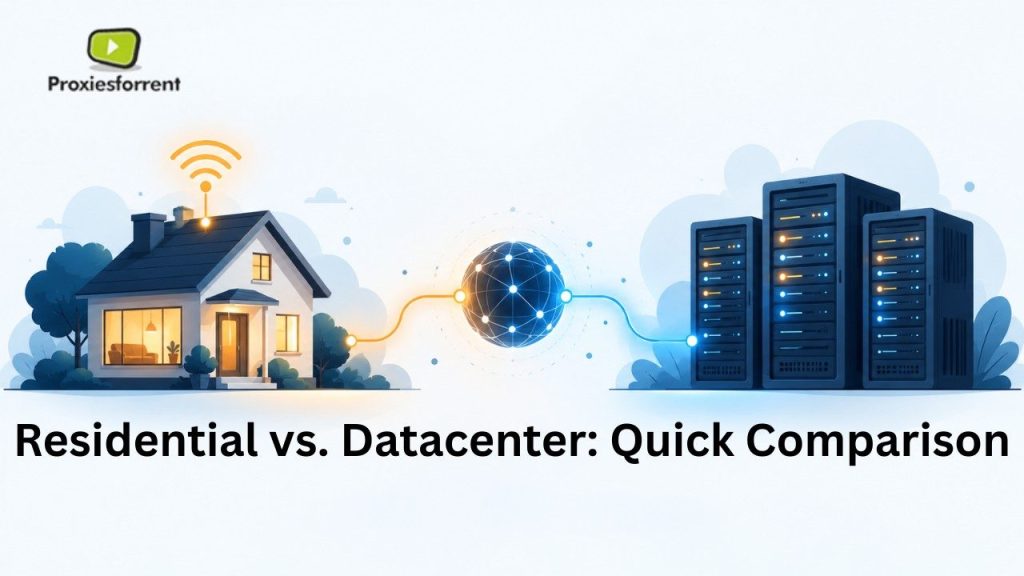
| Factor | Residential Proxies | Datacenter Proxies |
| IP Source | Real ISP-assigned home IPs | Cloud/hosting provider IPs |
| Detection Risk on YouTube | Low | Moderate to High |
| Speed | Slower (depends on host connection) | Fast |
| Cost | Higher (often per-GB) | Lower (often flat monthly) |
| Best For | Multi-account management, scraping, geo-testing | Light automation, one-off tasks, testing |
| Ban Recovery | Easier — IPs less likely to be pre-flagged | Harder — shared IP ranges get blocked in bulk |
What to Actually Look for When You Buy YouTube Proxies
Picking a provider isn’t just about the residential-vs-datacenter label. A few things matter more in practice:
IP Pool Size and Rotation
A small pool of IPs, rotated too aggressively or not at all, defeats the purpose. Look for providers offering rotating residential pools in the millions, not thousands — this reduces the odds of landing on a burned IP.
Session Control
For YouTube account management specifically, you want “sticky sessions” — the ability to keep the same IP for a set period (say, 10–30 minutes) so your login doesn’t look like it’s jumping across the globe mid-session.
Geo-Targeting Accuracy
In case you want to analyze the display of content in certain countries, ensure that the service provides true city- or country-level geo-targeting, not the generic “global pool” one.
Support for HTTPS/SOCKS5
YouTube traffic is HTTPS-heavy, so confirm your proxy supports this cleanly, along with SOCKS5 if your tooling needs it.
Real Customer Reviews, Not Just Marketing Pages
One thing I always tell people: check third-party review sites, not just testimonials on the proxy provider’s own website. A 2024 Trustpilot pattern I’ve noticed across several proxy brands is that ratings tend to be inflated on the company’s own site compared to independent review aggregators — again, this is an observed pattern, not a formal citation, so verify current reviews yourself before buying.
When You Should Choose Residential
Go residential if you’re:
- Running or managing several YouTube accounts
- Doing consistent scraping (comments, view counts, trends)
- Testing region-specific ads or content restrictions
- Building a workflow where getting banned would actually cost you money or time
When Datacenter Might Be Enough
Datacenter can work if you’re:
- Just checking your own analytics from another location occasionally
- Running low-volume, infrequent automation
- Working with a tight budget and accepting some risk of blocks
Key Takeaways
- Residential proxies are able to emulate connections made through residential internet and thus are far less likely to be recognized as bots by YouTube.
- Datacenter proxies are faster and cheaper but carry higher ban risk because their IP ranges are widely known and shared.
- Sticky sessions and large rotating IP pools matter more than the price tag alone.
- Heavy use cases (multi-account management, scraping) favor residential; light, occasional tasks can get by on datacenter.
- Always check independent reviews before committing to a provider — marketing pages don’t tell the full story.
FAQs
What is the best proxy for YouTube in 2026?
For most serious use cases — multi-account management, scraping, or geo-testing — residential proxies are the best proxy for YouTube because they mimic real home IPs and avoid the detection patterns that flag datacenter ranges quickly.
Can YouTube detect datacenter proxies?
Yes. The systems of YouTube know about the datacenter IPs since they are frequently used by numerous users. Thus, datacenter proxies have higher chances of getting soft-blocked and getting CAPTCHAs compared to residential proxies.
Are residential proxies worth the extra cost for YouTube?
If your work involves multiple accounts or frequent automated requests, yes — the lower ban rate usually saves more money long-term than the cheaper datacenter option, which risks losing access entirely.
How many IPs do I need to buy YouTube proxies safely?
It depends on volume, but providers with pools in the millions, combined with proper rotation settings, reduce the chance of landing on an already-flagged IP compared to smaller pools.
Is it legal to use proxies for YouTube?
Proxy usage is not an offense but might be considered a breach of the YouTube Terms of Service based on your actions. Always check out the updated terms of the platform when using proxies.
Do free proxies work for YouTube?
Not often, and not always effectively. Free proxies tend to be heavily used, slow, and detected by most major sites, thus they work poorly for any activity beyond basic web surfing.
How does a proxy differ from a VPN in relation to YouTube?
Seldom, and not very well either. Public proxy servers are almost always overloaded, run slow, and get picked up by major websites, and thus are not much use for anything other than basic web browsing.
Can I use one proxy for multiple YouTube accounts?
It’s risky. Using the same IP across several accounts can trigger YouTube’s association detection, potentially leading to multiple accounts being flagged together instead of just one.
Choosing the right proxy for YouTube comes down to matching the tool to your actual workload. If you’re doing anything beyond casual, one-off tasks, residential proxies offer far better reliability and lower ban risk, even with the higher cost. Datacenter proxies can still find their application where only light traffic is involved; however, there are trade-offs when it comes to detection issues. Regardless of which option you choose, the best thing would be to opt for providers having extensive pools of rotating IPs with proven testimonials.
Need reliable infrastructure to run your proxy setup or automation tools smoothly? Check out proxiesforrent for affordable, high-performance RDP solutions that pair well with your proxy workflow.proxy for youtube